# 6.3 Delete Record

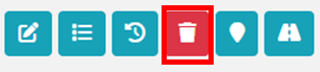
<span style="font-size: 10.0pt; mso-bidi-font-size: 12.0pt; line-height: 150%; font-family: Symbol; mso-fareast-font-family: Symbol; mso-bidi-font-family: Symbol; color: black;"><span style="mso-list: Ignore;">·<span style="font: 7.0pt 'Times New Roman';"> </span></span></span>To delete a record, click on the ***Delete*** button in the Action column of the list.
![](http://152.42.244.158/knowledge-product/uploads/images/gallery/2025-02/embedded-image-cfogbqvh.png)

**Overview:**

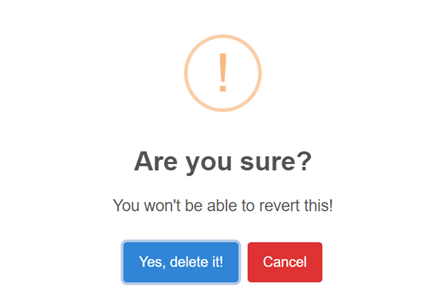
<span style="font-size: 10.0pt; mso-bidi-font-size: 12.0pt; line-height: 150%; font-family: Symbol; mso-fareast-font-family: Symbol; mso-bidi-font-family: Symbol; color: black;"><span style="mso-list: Ignore;">·<span style="font: 7.0pt 'Times New Roman';"> </span></span></span>After clicking the delete button, it will display a confirmation dialog. Click the ‘Yes, delete it!’ button in the confirmation dialog to delete the record.
![](http://152.42.244.158/knowledge-product/uploads/images/gallery/2025-02/embedded-image-rmxtu1nr.png)

Figure 6- <span style="mso-no-proof: yes;">3</span> Delete Confirmation Dialog

**Note:** Once deleted, the record cannot be recovered by the user. The alternative to deleting is to change the record’s status to inactive/non-operational if the status field is available. This way, the user won’t need to delete the record.

<span style="font-size: 11.0pt; line-height: 107%; font-family: 'Calibri',sans-serif; mso-ascii-theme-font: minor-latin; mso-fareast-font-family: Calibri; mso-fareast-theme-font: minor-latin; mso-hansi-theme-font: minor-latin; mso-bidi-font-family: Mangal; mso-bidi-theme-font: minor-bidi; mso-ansi-language: EN-US; mso-fareast-language: EN-US; mso-bidi-language: AR-SA;">The records that are deleted through the interface can be retrieved in cases of accidental deletion. Please contact the technical support team if such events occur.</span>