# Installation Procedure
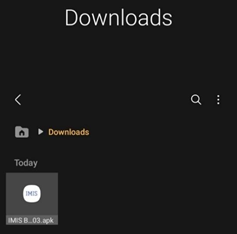
- Download the APK file in your device and go to ‘Downloads’ folder using the ‘File Manager’.
[](http://152.42.244.158/knowledge-product/uploads/images/gallery/2024-05/image-1716373376013.png)

***Figure 2-1 APK File***
- Locate the corresponding *.apk* file and tap on it. Installation process will begin.
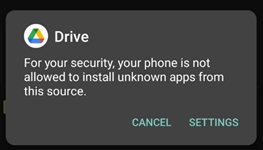
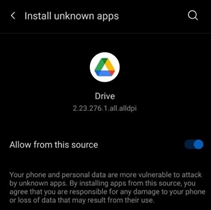
- Tap on ‘SETTINGS’ button and allow the access, if system asks permission to install app from unknown source.
[](http://152.42.244.158/knowledge-product/uploads/images/gallery/2024-05/image-1716373643157.png)
[](http://152.42.244.158/knowledge-product/uploads/images/gallery/2024-05/image-1716373913731.png)
***Figure 2-2 Access Permission***
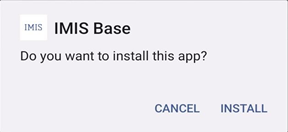
- Tap on **‘Install’** button. An **“Installing…”** progress bar will be displayed.
[](http://152.42.244.158/knowledge-product/uploads/images/gallery/2024-05/image-1716373810808.png)
***Figure 2-3 Installation process***
Tap on **‘Open’** button after installation process is completed.
[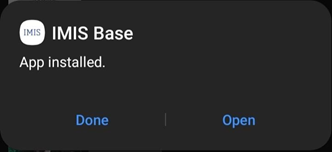](http://152.42.244.158/knowledge-product/uploads/images/gallery/2024-05/image-1716373837782.png)
**Figure 2-4 opening app**
```
Overview:
```
- The installed app can also be accessed from App drawer or Launcher.